Playlist Transfer for My Music
- 4.4
- Rating
- 100.00K
- Installs
- Free
- Price

 Analysis by App-foxy
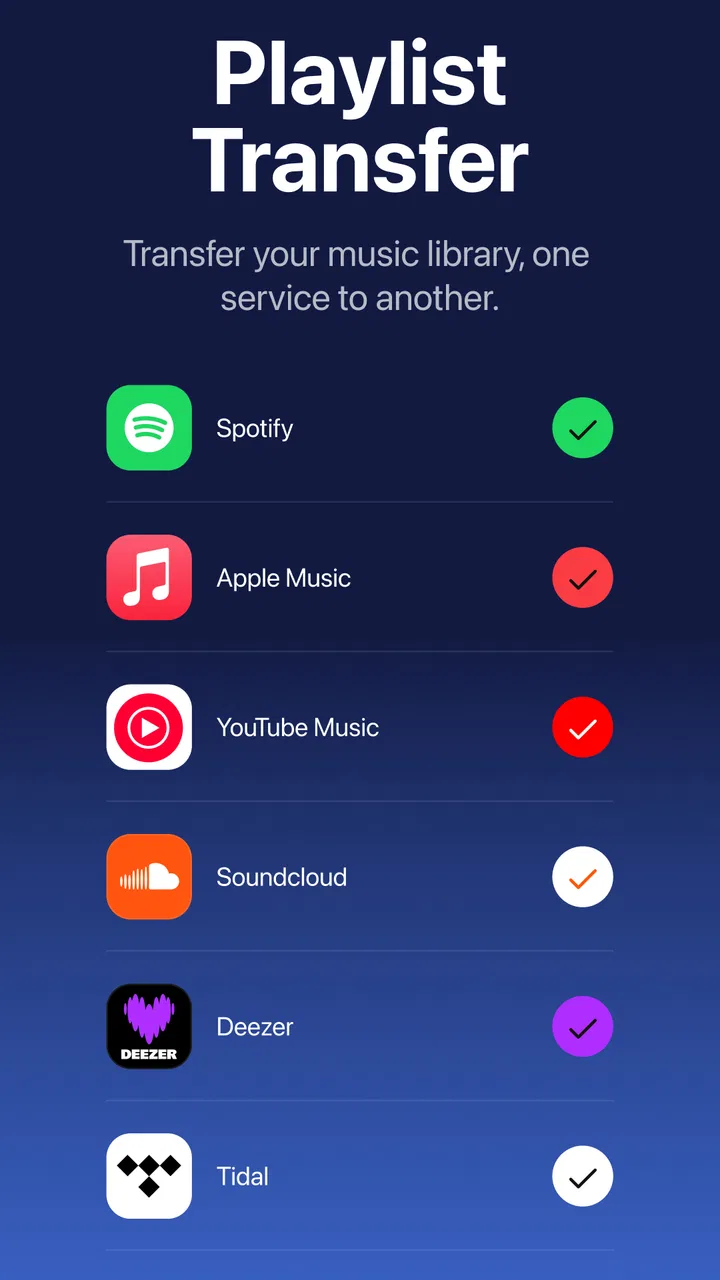
I tried Playlist Transfer for My Music as the kind of tool you open when your music life is split between services and you want to bring some order to it. It belongs to the Music & Audio category, but it is not another player competing for your listening time. Its job is more practical: move playlists between Spotify, Apple Music, and YouTube, while also giving you access to Spotify statistics. That makes the first impression easy to understand. If your playlists are trapped in one service, the app promises a shortcut instead of rebuilding everything song by song.
That promise is especially appealing during a change of routine. Maybe you are moving from Spotify to Apple Music, testing YouTube Music, or keeping more than one subscription for different parts of your household. In my experience, the value is not in opening the app every day. The value is in removing a tedious obstacle when your music setup changes. The important question, then, is whether that one-time convenience turns into something worth keeping installed after the transfer is finished.
From quick playlist rescue to a lasting music habit
When I think beyond the initial playlist move, I focus on whether the app remains comfortable to use in different situations and for different people. A transfer can be a one-off task, but choices about screen readability, navigation, and the pace of the workflow affect whether it feels manageable. Those everyday details lead naturally to a closer look at how access needs and listening contexts can shape the experience.
You May Also Like

 Pandora - Music & Podcasts
Pandora’s Music Is Easy to Start, but Harder to Recover
Pandora’s strength is its low-effort path from a seed to a station. Its weak spot is how much confidence it asks you to place in connection, setup, and quiet recovery.

 AccuWeather: Weather Radar
AccuWeather Review: A Quick, Clear Forecast for Everyday Decisions
For everyday plans, the best forecast is the one you can understand quickly. AccuWeather makes rain timing, radar, and local conditions easy to act on, with a few trade-offs.

 Hill Climb Racing
Why Hill Climb Racing Still Turns Crashes Into One More Run
A tiny car, a bumpy hill and one more upgrade: Hill Climb Racing keeps resurfacing because its simple chaos makes every near-miss feel personal.

 AliExpress - Shopping App
AliExpress Makes Global Shopping Feel Personal, but Shoppers Bear the Risk
AliExpress turns a global marketplace into a pocket-sized discovery engine. Its reach is useful, its shopping loop compelling, and its trade-offs easy to miss.

 Lords Mobile: Kingdom Wars
Lords Mobile Is a Kingdom-Building Routine, Not a Quick Match
A case-by-case verdict on the building, battles, device demands, and social commitments that make Lords Mobile rewarding for some players and exhausting for others.

 PDF Scanner app - TapScanner
TapScanner Makes Paperwork Easier to Capture, Check, and Share
TapScanner makes scanning with a phone feel less like a rescue operation and more like a dependable step in getting work done. Its capture tools are useful, though not flawless.
More From Our News Desk
View All News


The first week feels useful because the purpose is clear
The strongest part of the experience is the immediate problem it addresses. A playlist can represent years of listening, and recreating one manually is the sort of task most people postpone indefinitely. Playlist Transfer for My Music places that task at the center, so the app feels focused rather than overloaded with unrelated music features. I could approach it with a specific goal: choose a playlist, select where it should go, and check the result.
That focus also makes it more approachable for someone who is not technically minded. You do not need to understand how music catalogs are organized to see why a transfer might be useful. The practical work is matching tracks that exist under different services and moving the playlist structure across. That is much less intimidating than starting from an empty library and searching for every song again.
One realistic situation is a family plan change. Imagine that one person has built several playlists on Spotify, while another prefers Apple Music. Instead of treating the old service as a permanent archive, the transfer app can help move the playlists that matter most. I would begin with the playlists used weekly rather than attempting a complete library migration immediately. That gives you a manageable test and makes it easier to notice whether the destination service handles the tracks as expected.
The Spotify statistics angle adds a second reason to open the app during the first week. If you enjoy looking back at your listening patterns, those insights can make the service feel more personal than a simple export utility. Still, I see the statistics as an extra rather than the main reason to install it. The transfer function solves a concrete problem; the statistics are more likely to satisfy curiosity.
What to check before trusting a large transfer
I would not begin with every playlist at once. A better workflow is to select a short playlist containing different kinds of tracks: popular songs, older recordings, soundtrack cuts, remixes, and anything with unusual punctuation in its title. This small test can reveal how well the destination service recognizes your particular listening habits. It is a more useful check than assuming that a successful first screen means every track will land perfectly.
After a transfer, I would compare the playlist length and scan for obvious substitutions or missing songs. Matching between services is never just a matter of copying text. A song may have multiple versions, regional availability can differ, and an album track may be confused with a live or remastered release. The app can save time, but it does not remove the need for a quick quality check when the playlist is important.
This is one of the less obvious trade-offs: transferring a playlist preserves convenience, not necessarily the exact listening experience. If you use playlists for workouts, study sessions, or carefully timed moods, check the first few tracks before relying on the new copy. A single wrong version may not matter in casual listening, but it can be noticeable when the order and atmosphere are deliberate.
Where it compares well with ordinary alternatives
The usual alternative is manual rebuilding inside the new music service. That approach gives you complete control, but it is slow and easy to abandon halfway through. Playlist Transfer for My Music is more attractive when you have several playlists and only need a practical migration route. It also has a clearer purpose than a general music player, because it is designed around moving existing collections rather than replacing your preferred listening app.
Another alternative is to keep paying for an old service simply because your playlists are there. That can be convenient, but it turns a library into a reason for maintaining a subscription you may no longer want. A transfer tool can be worthwhile if it helps separate your music collection from that decision. On the other hand, if you only have one small playlist and enjoy rebuilding it manually, this app may feel like an unnecessary extra step.
The app is free to install, which lowers the barrier to testing it. Its listing also shows in-app purchases ranging from around eight dollars to around forty dollars per item, so I would pay attention to the purchase screen before starting a large migration. The free entry point is useful for deciding whether the workflow suits you, but anyone planning repeated or extensive use should understand where paid options become relevant.
The month-to-month value depends on how often your music changes
After the novelty fades, the app’s value becomes more situational. Most people do not transfer playlists every morning. Once your main collections are in the service you prefer, there may be little reason to return until you change subscriptions, discover a better platform, or need to share a playlist with someone using a different service.
That does not make it disposable. Music habits change in bursts. A person may spend months using one platform and then switch because of a family plan, a device change, or a different catalog preference. When that moment arrives, having a transfer tool already available is more convenient than searching for one while trying to preserve a library under time pressure. I see this as a utility with recurring seasonal value rather than a daily companion.
The Spotify statistics can provide a more regular reason to check in, especially for listeners who enjoy reviewing favorite artists, songs, or patterns. But statistics alone rarely create a durable habit unless the presentation stays useful over time. I would not keep the app solely for that feature unless I genuinely enjoyed returning to listening summaries. For many users, the transfer function will remain the main reason it earns storage space.
A sensible month-to-month routine is to use the app when you make a deliberate service change, then remove it if you no longer need it. Because the app is free to install, reinstalling later may be a reasonable choice for people who prefer a tidy phone. Users who manage several services at once, however, may find more continuing value in keeping it ready for occasional playlist movement.
Maintenance is light, but the results still need ownership
The maintenance burden is not about editing playlists inside the app every day. It is about checking what happened after a transfer and deciding which playlists are worth keeping synchronized in more than one place. If you transfer a playlist once and then continue changing it in the original service, the copy can become outdated. That is not a failure unique to this app; it is a natural consequence of having separate versions of the same list.
I would avoid creating several competing copies unless there is a clear reason. For example, keep one original playlist as the source and transfer a finished version when you are ready to move platforms. This simple rule prevents confusion about which copy contains the latest additions. It is a small organizational habit, but it matters more than repeatedly pressing a transfer button without deciding which playlist is authoritative.
For important collections, I would also preserve the original service until the destination has been checked. That is particularly sensible for playlists built over a long period or used by other people. Moving too quickly and canceling the old subscription before checking the new library creates avoidable stress. The app reduces manual searching, but a cautious transition still gives you a safety net.
Version 2.4.4 suggests that the app is being maintained as a current product rather than left as a one-off experiment. I still would not treat a version number as a guarantee that every transfer will behave identically across services. Music platforms change their catalogs and account systems, so the safest approach is to test a small playlist whenever your setup changes significantly.
The main sources of fatigue appear after repeated use
The first source of fatigue is repetition. If you move many playlists, the early excitement of saving time can turn into a series of checks, corrections, and decisions about duplicates. The app is helpful because it automates the searching and copying process, but automation does not always equal a perfectly finished library. The larger and more personal your collection, the more important it becomes to budget time for review.
Another possible frustration is the gap between a playlist transfer and a complete library migration. A playlist is an organized list, not necessarily your saved albums, artists, listening history, or every personal preference attached to an account. Someone expecting a full mirror of one service inside another may find the experience narrower than imagined. I would install it with the specific goal of moving playlists, not with the assumption that it will reproduce an entire music ecosystem.
There is also a practical fatigue around service differences. A song can exist on one platform but not another, or appear in a different edition. A transfer tool can identify and move matches, yet it cannot make unavailable music appear in the destination catalog. That limitation is important for listeners with regional music, obscure releases, DJ edits, or unofficial uploads. If those tracks define your playlists, manual inspection becomes part of the process.
The paid structure may create another moment of hesitation. The entry price is free, but optional purchases can reach from around eight dollars to around forty dollars per item. I would decide based on the amount of time the app saves, not on the size of the playlist alone. Paying may make sense for a large migration that would otherwise take an entire evening; it is harder to justify for a handful of short lists that you could rebuild comfortably.
Who will get the most from keeping it installed
I think the app is a good fit for people who switch between Spotify, Apple Music, and YouTube regularly, or who maintain playlists across more than one service. It is also useful for listeners whose playlists are too valuable or numerous to recreate manually. People organizing music for travel, exercise, study, or shared household use may appreciate having a faster way to recreate a familiar listening setup after changing platforms.
The Spotify statistics make it more appealing to users who enjoy looking at their listening behavior rather than treating music as background sound. That feature may encourage occasional returns even when no transfer is needed. I would describe the combination as practical first and reflective second: the app helps move your collections, then offers a reason to inspect your Spotify habits.
The Everyone content rating makes it suitable for a broad audience, including families deciding whether a younger listener can use the app. That rating describes the app’s general suitability, not the content of the music found through connected services. Parents should still remember that playlists and catalogs can contain material outside the app’s own utility function.
It is less suitable for someone who uses only one service, has very few playlists, or wants a full replacement for a music player. It is also not the best choice for a listener who expects perfect preservation of every obscure recording without checking the results. In those cases, manual rebuilding may be slower but more accurate, while a dedicated music service remains the better place to listen.
How the app fits into a longer-term setup
The developer, Virals Dijital Hizmetler A.S., has positioned this as a focused utility rather than a broad social music platform. That focus is a strength because the app does not need to persuade me to change how I listen every day. It simply becomes useful when my playlists need to move. The reported average rating is 4.4 from around fifteen thousand ratings, and the app has passed one hundred thousand installs, which suggests that the transfer problem is common enough to attract a substantial audience.
Those figures do not change my practical advice: judge it with a small playlist first. A high rating can tell you that many users find the concept worthwhile, but your result depends on the services you use and the kinds of tracks in your collection. A listener with mainstream playlists may have a smoother experience than someone whose library is built around rare versions and local releases.
The app was released in October 2024 and is available for Android devices running version ten or newer. That makes compatibility worth checking before you plan a migration, especially if you are using an older phone. For supported devices, the technical requirement is reasonable, but a transfer still depends on the accounts and services involved, so I would keep expectations practical rather than assuming the phone alone controls the outcome.
For long-term storage, I would keep the app only if one of three patterns applies: I regularly move between music services, I manage playlists for several people, or I use the Spotify statistics often enough to enjoy returning. Otherwise, it can serve its purpose during a migration and then leave the phone. That is not a criticism. A good utility does not need to become a daily habit to be worth using.
My lasting verdict after the useful novelty wears off
Playlist Transfer for My Music earns its place through saved effort, not constant entertainment. The first-week appeal is obvious: it tackles the unpleasant part of changing music services and gives Spotify listeners an additional way to inspect their habits. The month-to-month value is more selective, because most people will transfer playlists only when their subscriptions or listening setup change.
I recommend it to anyone facing a real playlist migration, particularly if manual rebuilding would cause them to abandon important collections. Start with a representative test, inspect the destination carefully, and keep the original playlists available until you are satisfied. That workflow makes the app more dependable in practice and prevents the common mistake of treating a transfer as a perfect archive.
I would skip it if you have a tiny library, never change services, or expect it to reproduce every part of your account. The app is not a replacement for Spotify, Apple Music, or YouTube as listening platforms, and it cannot eliminate differences between their catalogs. Its role is narrower and more useful: it is a bridge for playlists, with statistics as a secondary attraction.
For me, that is enough to recommend it with a clear condition. Keep Playlist Transfer for My Music when your music collection crosses service boundaries or when you enjoy its Spotify insights; otherwise, use it for the migration that brought you there and let it go afterward. Its lasting value comes from being ready at the right moment, not from demanding a place in your daily listening routine.
FAQs for Playlist Transfer for My Music
01What is Playlist Transfer for My Music used for?
Playlist Transfer for My Music is designed to help you move or recreate playlists between supported music services and music libraries. Instead of manually searching for every song and adding tracks one by one, the app can compare playlist information and transfer matching songs to a selected destination. Its usefulness depends on the services, file formats, and account permissions supported by the current version.
02Which music services and playlist formats are supported?
Support can vary depending on the app version and the platforms connected to it. Playlist Transfer for My Music may work with selected streaming services, local music libraries, or playlist files, but not every provider is necessarily available. Before downloading, check the app’s current store description and supported-services list. Compatibility is especially important if your playlists contain obscure tracks, regional releases, podcasts, or music unavailable on another platform.
03Does Playlist Transfer for My Music copy the actual songs or only playlist information?
In most playlist-transfer tools, the app does not copy copyrighted audio files from one service to another. Instead, it transfers playlist details, such as song titles, artists, albums, and ordering, then searches for equivalent tracks in the destination library. Songs that cannot be matched may be skipped or reported. You may therefore need to review the completed playlist and correct inaccurate or missing matches.
04Is it safe to connect my music accounts to the app?
Account safety depends on how the app handles sign-in and permissions. Use the official download source, read the requested permissions carefully, and prefer secure authorization screens provided by the music service rather than entering passwords into unfamiliar forms. After transferring playlists, you can review connected-app permissions in your account settings and revoke access if you no longer plan to use Playlist Transfer for My Music.
05Are there any limitations or costs when transferring playlists?
Playlist transfers may be limited by the number of songs, playlists, or services available in the free version. Some features could require an in-app purchase, subscription, or separate premium access. Transfers can also take longer for large libraries and may fail to match songs with different titles, editions, or availability by country. Check the pricing details, privacy policy, and transfer limits before starting a large migration.
Pros
- Transfers playlists between supported music services with minimal setup.
- Preserves playlist order during most transfers.
- Useful for moving libraries after switching streaming platforms.
- Clear interface makes the transfer process easy to follow.
- Supports batch playlist transfers instead of handling each list manually.
Cons
- Some transfers may require a paid plan or in-app purchase.
- Compatibility can vary depending on the music services connected.
- Unavailable songs may be skipped without finding an exact replacement.
- Large playlists can take noticeable time to process.
- Account permissions are required to access connected music libraries.

Playlist Transfer for My Music
Gallery